Inventory Pro Mobile
Mobile stock operations run on almost any phone, tablet, scanner or computer — with offline queue, camera scanning and signature capture.
The same transactions available on desktop — receiving, issuing, cycle counting, and more — run directly on handheld scanners, phones, and tablets. Offline queueing keeps you working when signal is lost, syncing when you're back online.
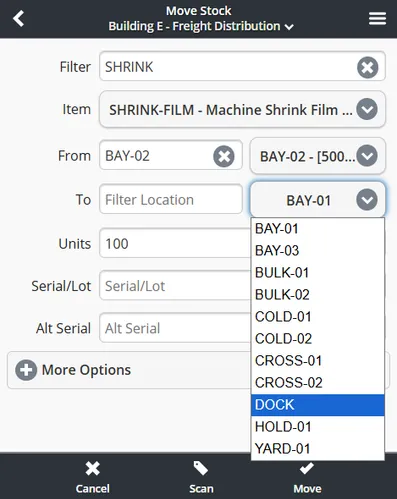
— Inventory Pro Mobile
Mobile in Action
Four screens from the same engine — receive, issue, move and count, with lots, serials and signatures captured at the point of work.
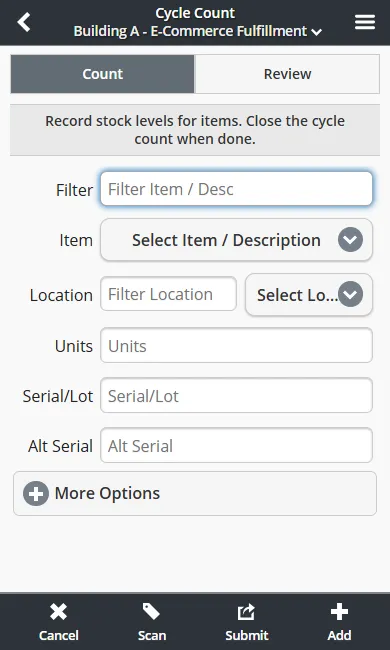
Record stock levels for items with a scan; close the count when done.
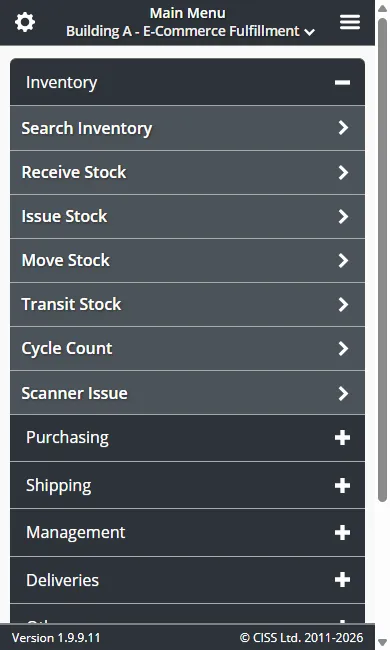
Receive, issue, move, count and more — every mobile transaction one tap away.
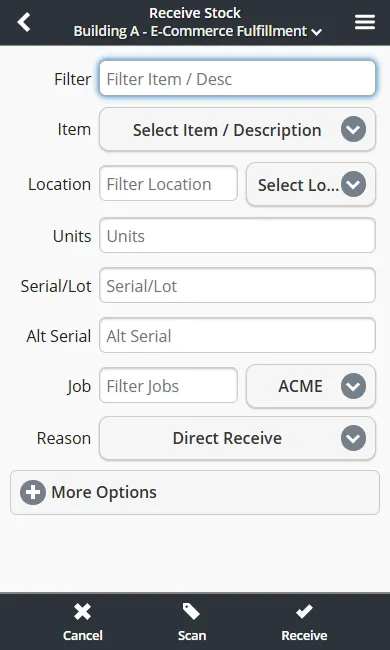
Receive against POs or blind-receive with a scan. Lots, serials and expiration dates captured.
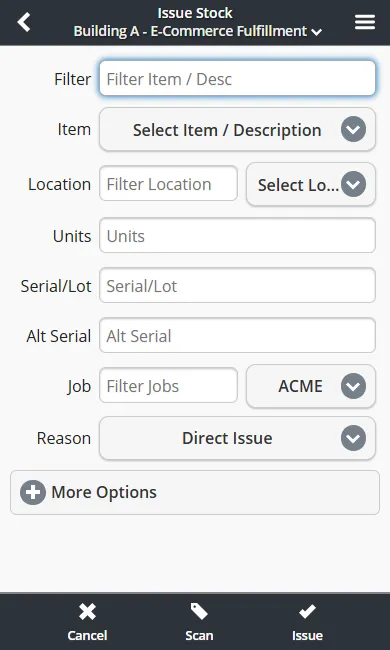
Issue to a job, cost center, or customer with a signature when required.
Scan it where it happens, in one loop.
- 01
Search inventory
Find an item by part number, description, or a straight scan.
- 02
Filter or scan by item, location, and more
Narrow results to the stock or order you need.
- 03
Build your transaction
Build up a transaction with inventory for orders, transfers, or adjustments.
- 04
Pick, pack, putaway, move, and more
Post the transaction against an order, transit, or adjustment.
- 05
Sign or queue offline
Capture a signature when required, or queue transactions while offline.
See this loop running on your own devices — scan flows matched to your floor, queued offline when signal drops.
Book a Demo— On the go
Mobile Warehousing
We aim to offer a solution compatible with a wide array of hardware, "device agnostic". It is a web application, so there's nothing to install, which allows our clients to select hardware that fits their budget and size, be it consumer-grade or industrial-grade.
Works live when connected — transactions queue automatically when signal drops and sync on reconnect. The app also keeps a local cache of various system objects to allow for use offline.
Offline, in practice
- Receiving, issuing, moving and cycle counts capture straight to an on-device queue when the connection drops; the queue submits in order when connectivity returns.
- Queued work survives app reloads and device restarts, and is cleared only at logout if your site enables that option or from Settings.
- Cached items, inventory lines, customers, vendors and locations support offline item search and verification; live orders, deliveries and reports need a connection.
- Requires a modern browser — iOS Safari, Android Chrome, or Firefox on phones, tablets, and barcode scanners — over HTTPS.
- If a submission confirmation wasn't seen, verify the transaction before re-entering it.
For dedicated scanner information, see our Supported Scanners page. For label printing hardware, see the Supported Printers page.

— What it does
Mobile Features
Everything runs in the browser — nothing to install on your devices.
Inventory Control
Receiving, Issuing, and Moving Stock. Track serials, lots, weight, age, and much more.
Barcode Scanning
We support both 1D and 2D barcoding formats, as well as RFID systems on both our desktop and mobile solutions.
Inventory Cycle Counts
Maintain accurate real-time inventory levels, with a variety of sampling methods.
Multiple Order Processing
Pick, pack, or putaway multiple orders at once to boost the productivity of your operators.
Offline Capabilities
Transactions queue offline and sync on reconnect — see "Offline, in practice" below.
Order Picking and Packing
Guided processing of orders based on FEFO and FIFO, support for pathing. Just scan the next item and go!
Putaway / Stow List
Guided processing of inbound stock based on current inventory locations and defaults.
Real Time Inventory
All stock levels in Inventory Pro are real-time by default, reflecting committed transactions as they post.
Delivery Tracking
Inbound mailroom-style tracking or outbound delivery tracking using your own vehicles. (Standard and up.)
Signature Capture & Tracking
Mobile offers signature capture for transactions (single and batch). Essential for use in delivery, transfer of goods, shipment receipt, and more.
SSO - Single Sign On
Secure authentication across multiple applications — sign in once to your network and have your account linked to Inventory Pro. (Paid add-on, Standard and up.)
— Built for the Floor
Built for the Floor
Scanning, RFID, and hardware that survives the floor — running on the same live inventory as your desktop.
Scan or read everything
Phone camera or Bluetooth scanner for 1D, 2D, and QR barcodes (QR: Standard and up) — plus RFID tag reads through dedicated readers.
Rugged hardware tested
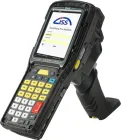
Zebra, Honeywell, and Datalogic handhelds verified against the app — see our tested models.
One stock file
Mobile transactions post to the same live inventory as the desktop — no batch merge, no second database.
Run the numbers on your shift team
The ROI calculator models licensing, labor and carrying cost in about two minutes.
All mobile transactions are transmitted over HTTPS with TLS 1.2+ encryption. Cloud-hosted mobile clients use the same isolated instance model as desktop — your data stays separate from other organizations. See our Privacy & Data Policy and Security Policy for details.
Manage Inventory Professionally.
Learn more about Inventory Pro and our capabilities. From small business to industrial warehousing, our software can scale and adapt to various industries.